

What This Node Does
The AI Summary node generates a written, AI-narrated summary of your data. Use the default summary or write a custom prompt, including fill-in-the-blank style prompts that reference your data. It is an output node.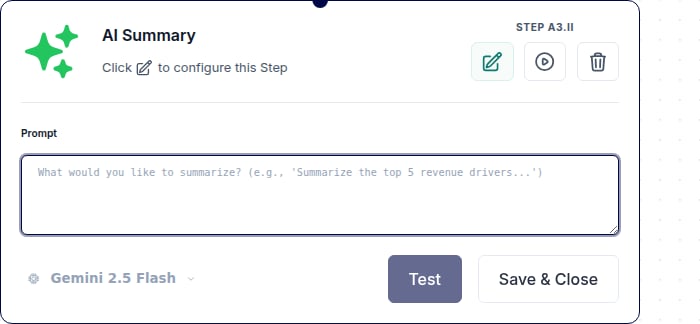
When to Use This Node
Use the AI Summary node when you want to:- Add plain-language narrative to a Flow result
- Explain the numbers in a scheduled report
- Give stakeholders a quick read without making them parse a table
Step-by-Step Usage Guide
1
Add AI Summary
From the ”+ Add node” popover, search for “ai summary” and add it at the end of your Flow.
2
Use the default or write a prompt
Keep the default summary, or write a custom prompt. Fill-in-the-blank style prompts can reference your data directly.
3
Run the Flow
Run the Flow to generate the narrative summary.