

What This Node Does
The Get Data node pulls rows from a connected table or Virtual Table into your Flow. It is the starting point of most Flows: it loads your source data so downstream nodes have something to work on. You can pick and reorder fields, or keep them all, and pre-filter rows before anything downstream runs.When to Use This Node
Use the Get Data node when you want to:- Start a Flow from data you have already connected
- Pull in a subset of fields instead of the full table
- Narrow rows up front so later steps process less data
- Reuse a Virtual Table produced by another Flow
Step-by-Step Usage Guide
1
Add Get Data
From the ”+ Add node” popover, search for “get data” and add it. Pick the connected table or Virtual Table you want to load.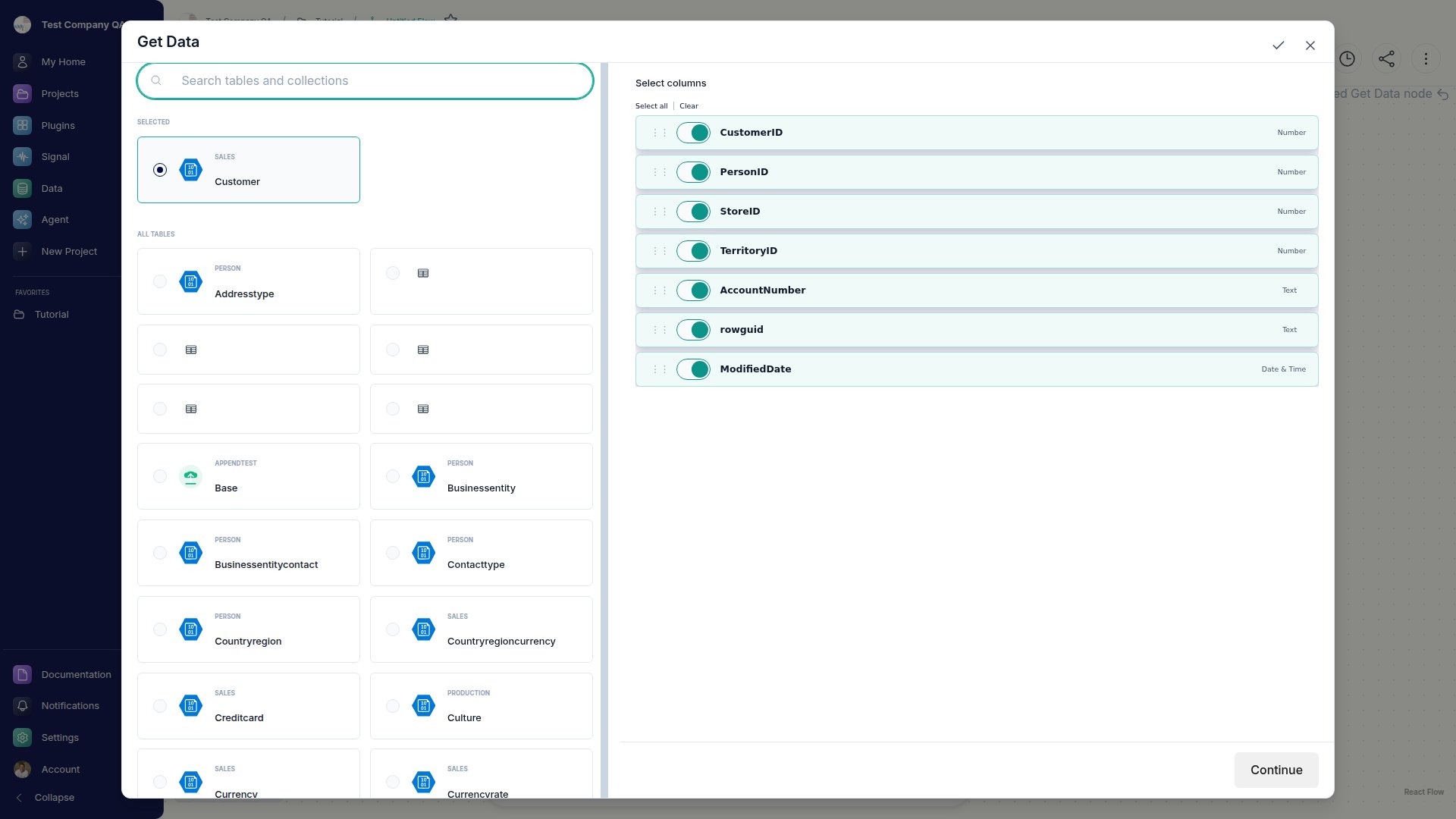
2
Choose your fields
In the Fields step, keep all fields or select and reorder just the ones you need.
3
Filter the rows (optional)
Use the Filter step to narrow rows before they reach the rest of your Flow.