

What This Node Does
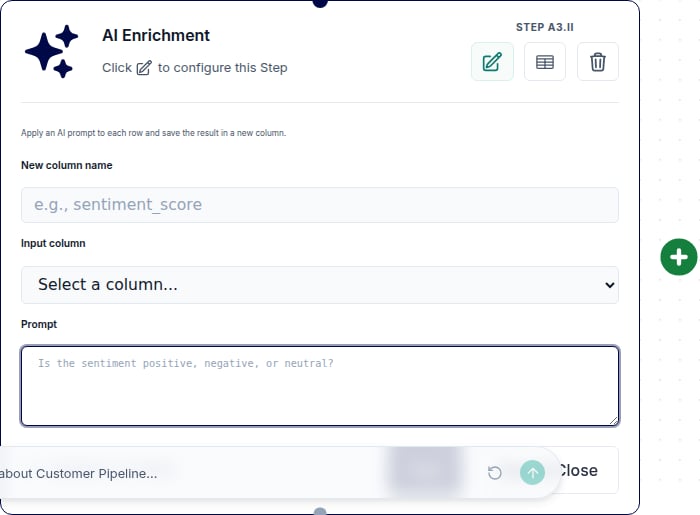
The AI Enrichment node uses AI to add a new field to your data. You write a prompt, it runs once per row, and the result becomes a new field. Use it to classify or categorize rows, extract values, or generate text. Your prompt can reference other fields with@column_name, and results are cached so re-runs stay cheap.
When to Use This Node
Use the AI Enrichment node when you want to:- Categorize free text into labels or buckets
- Score sentiment on reviews, tickets, or comments
- Extract a field from messy or unstructured text
- Generate AI-written labels or short descriptions per row
Step-by-Step Usage Guide
1
Add AI Enrichment
From the ”+ Add node” popover, search for “ai enrichment” and add it after your data.
2
Write your prompt
Describe what you want the new field to contain. Reference other fields with
@column_name, for example Classify the sentiment of @review_text as positive, neutral, or negative.3
Test it
Click Test to sample around 10 rows and see real generated values, or run the Flow to generate the full field.